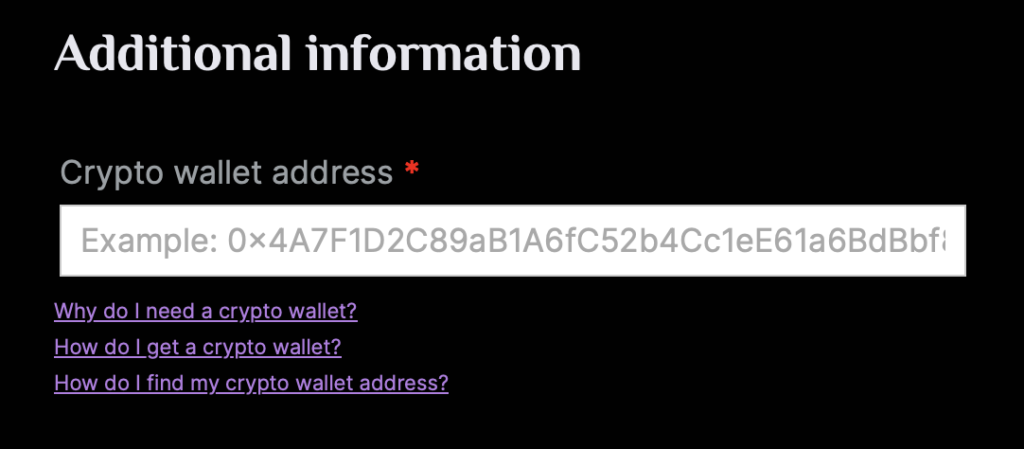
Please follow the steps below:
- Open your crypto wallet app (Coinbase, MetaMask, ZenGo, etc.)
- Your home or main screen is usually the screen where you can view your cryptocurrency balances and recent transactions.
- Find the “Receive” or “Deposit” Option
- This option is used to generate your unique wallet address for receiving NFTs.
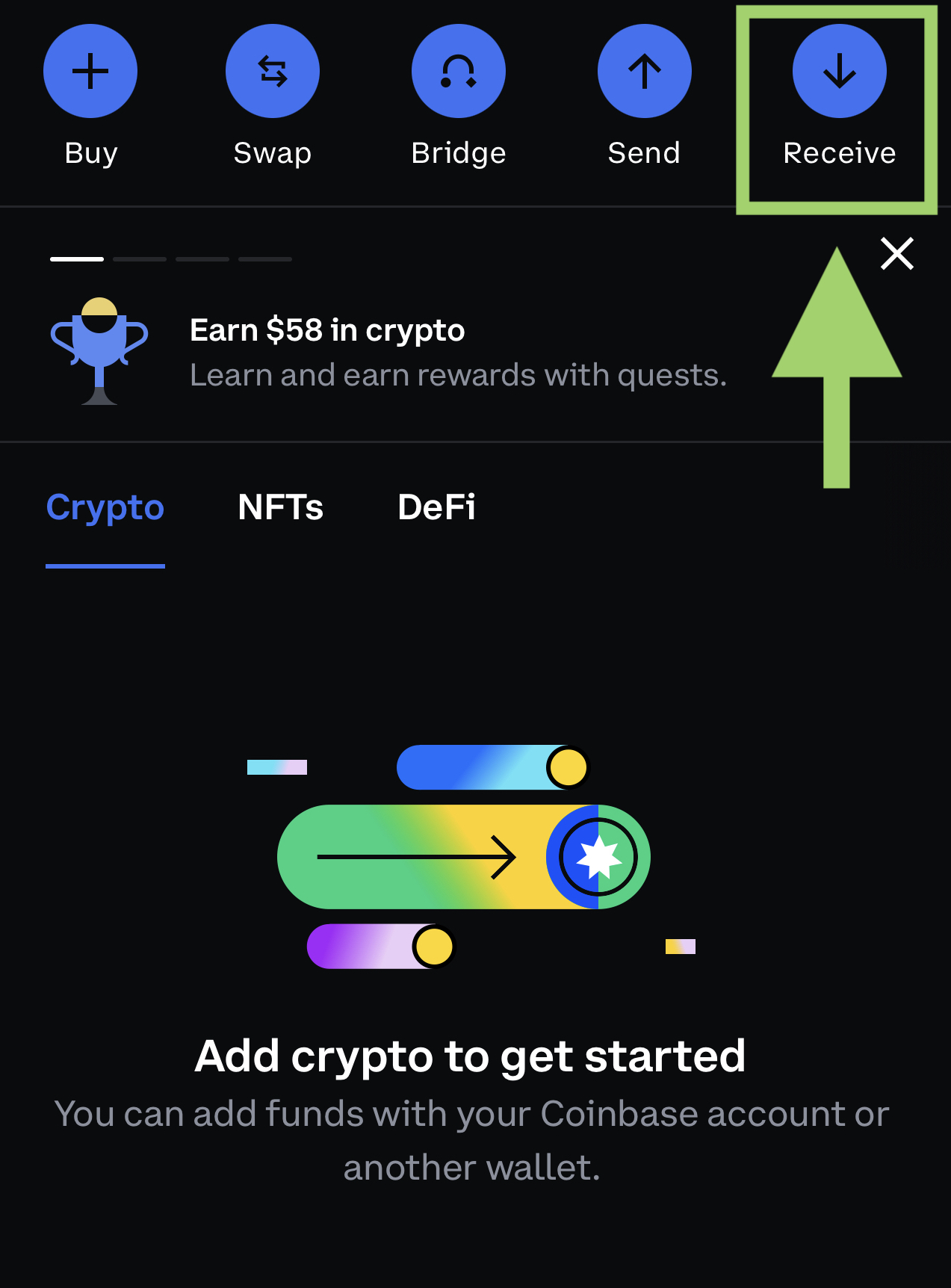
- View your wallet address
- Select the “Receive” or “Deposit” option, and you should see a screen displaying your wallet address. This address is a combination of letters and numbers unique to your wallet – for example, 0xAbCdEfGhIjKlMnOpQrStUvWxYz1234567890.
- IMPORTANT: Please make sure that you only use the wallet address compatible with the Polygon (MATIC) network (and not Bitcoin, for instance). Look for the words “Polygon” or “MATIC” or the Polygon (MATIC) logo as shown below.
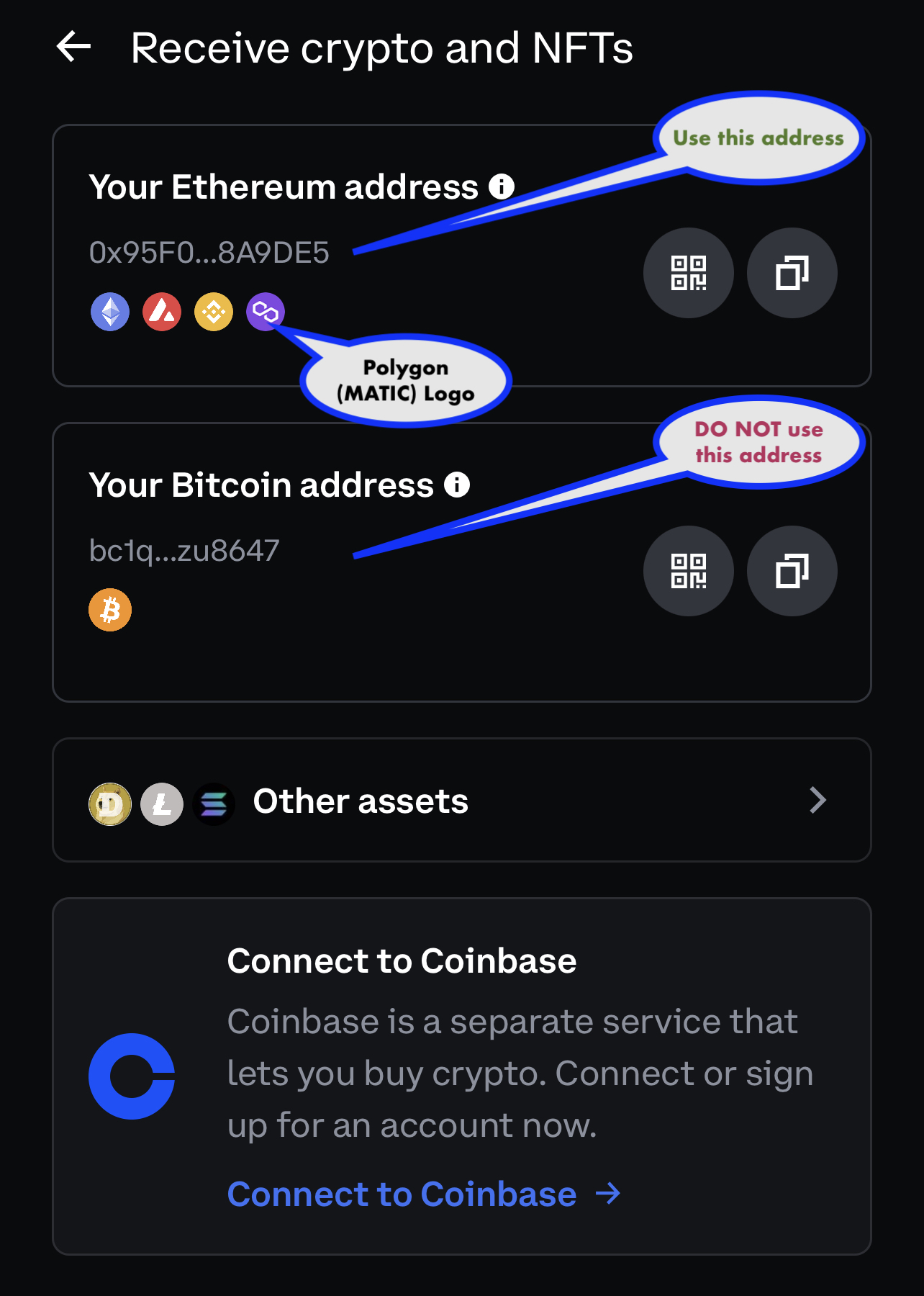
- Copy your wallet address
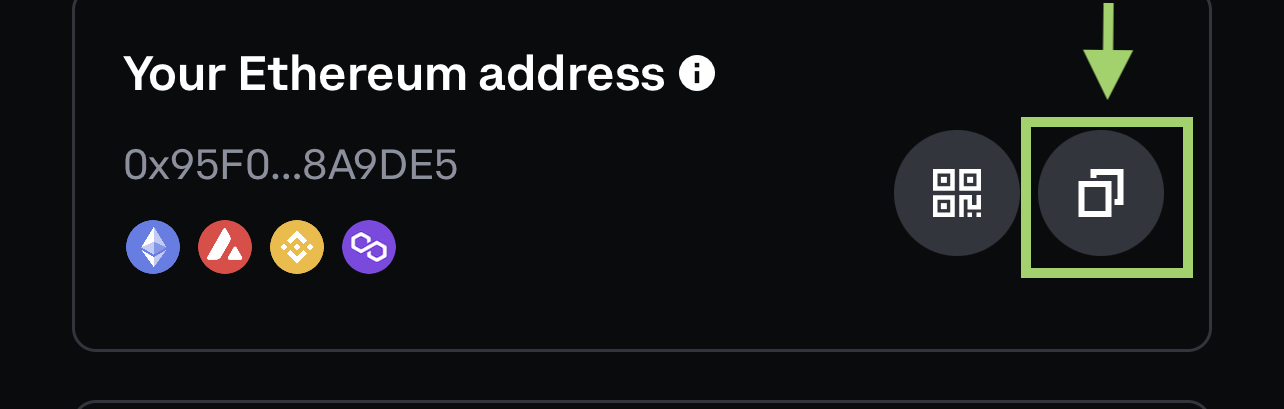
- To copy your wallet address, tap on it or use the “Copy” button next to it. IMPORTANT: please make sure the entire address is copied accurately.
- Paste your wallet address into the “Crypto wallet address” field on the THEATREbles™ checkout page.
- IMPORTANT: Always double-check your wallet address before sharing it to prevent any errors in the transaction.